|
What are we going to learn ?
How ? We will use m2e plugin by Apache Maven Project Why to use m2e instead of standalone maven ? m2e provides maven functionality through eclipse instead of using through command line. Supports
How to use m2e ?
eclipse kepler comes with maven plugin installed.
Step 1:
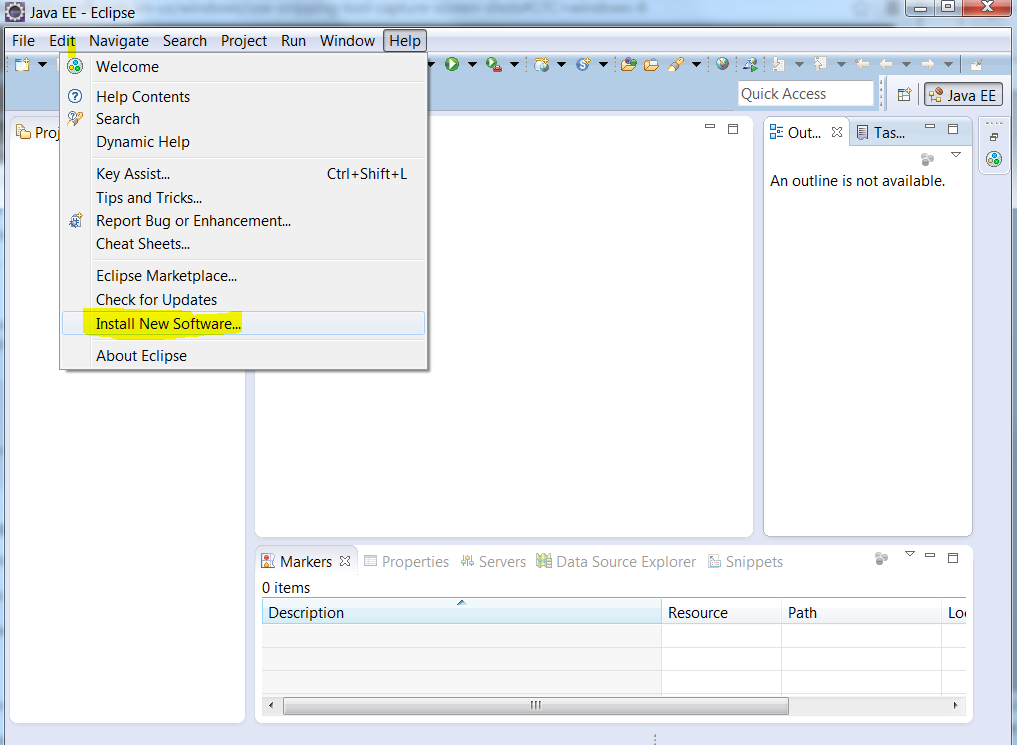
Open eclipse, go to Help -> Install New Software as shown below.
Step 2:
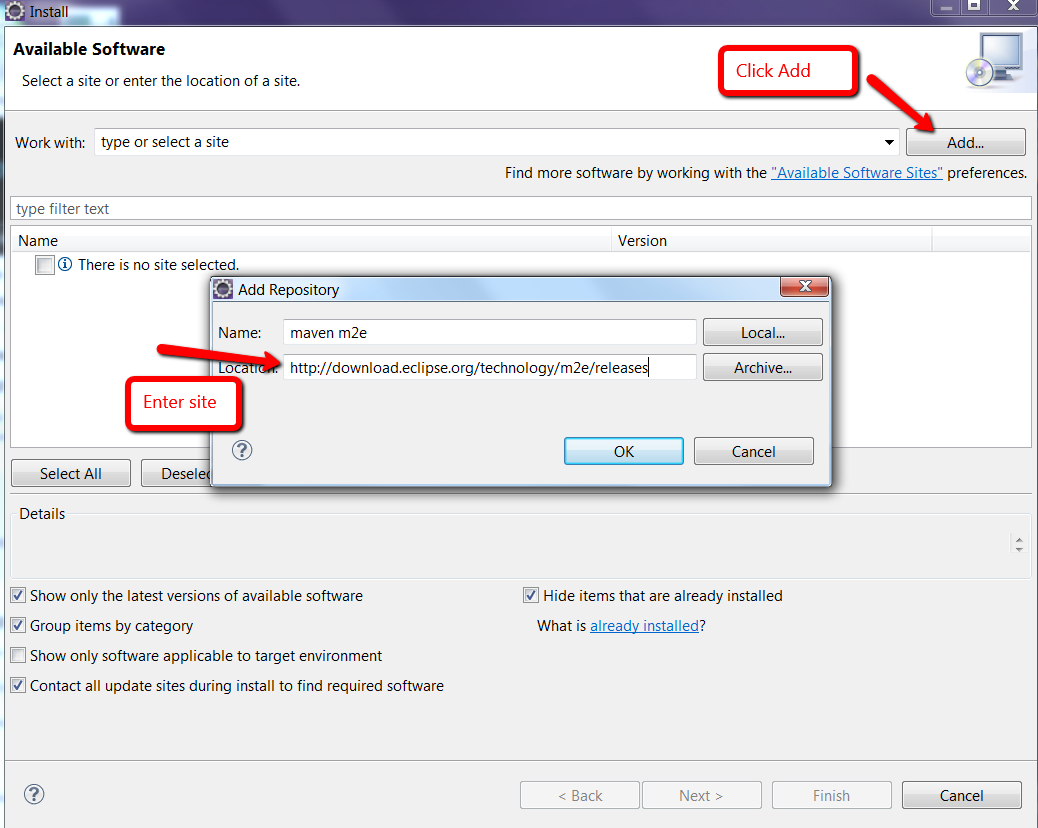
Add repository using update site : http://download.eclipse.org/technology/m2e/releases as shown below.
Step 3: Select Maven Integration for eclipse. Proceed and finish. You will be prompted to restart eclipse once the installation is done.
What If you want to use different version of Maven?
Eclipse can work with different versions of Maven. Here we will see how to use any other version of Maven rather than the embedded version.
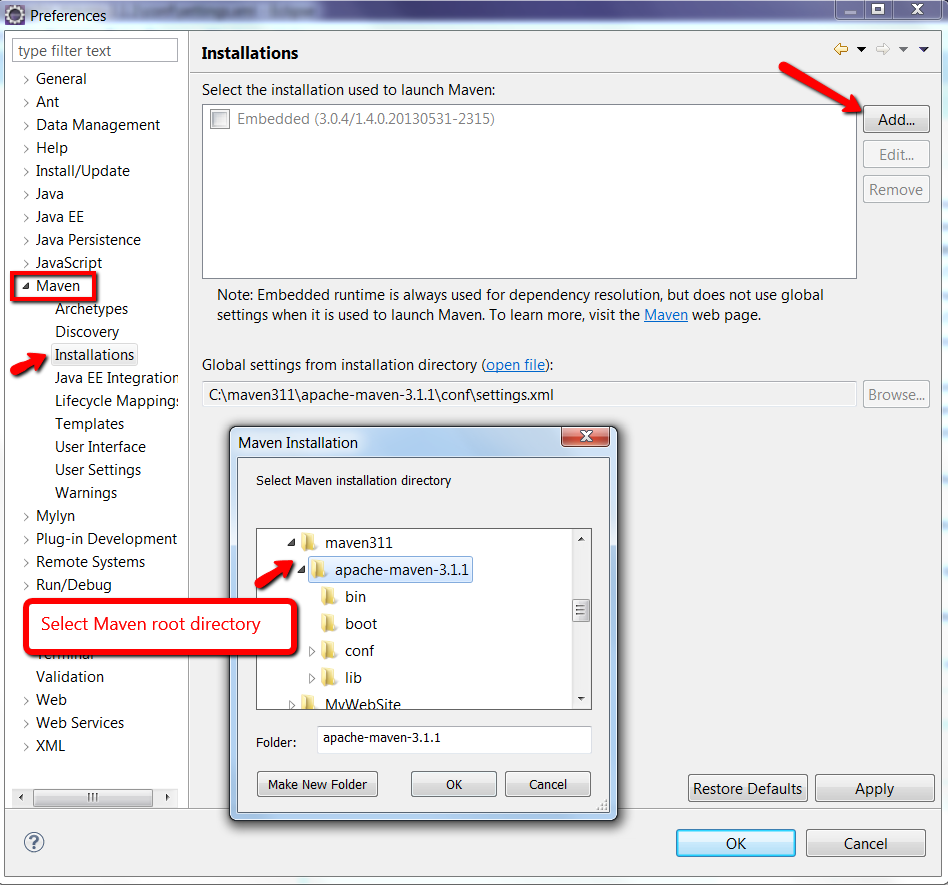
Go to Windows -> Preferences and expand Maven section.
Once you click Add and select the Maven installation folder, you may have to update the user settings.
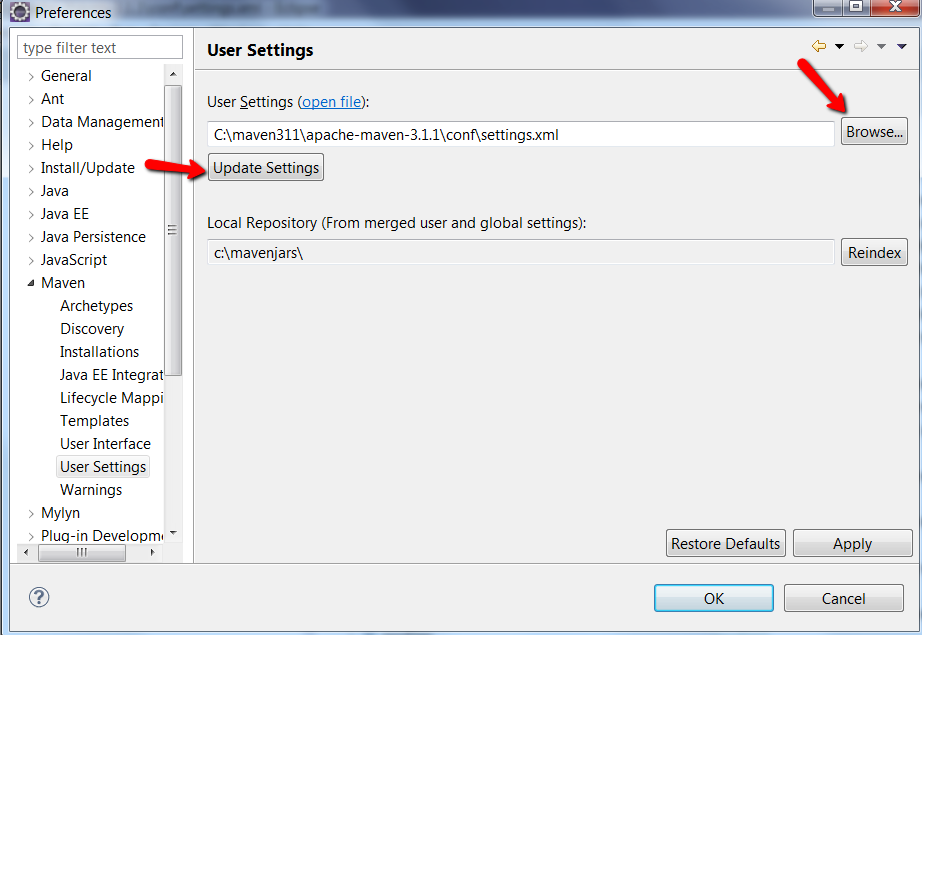
Go to Windows -> Preferences -> Maven section -> User Settings.
Browse to the settings xml file and click update settings. Local Repository is automatically updated.
That's it ! |