NOTE: Source Code available for download at the bottom of the page
If you are new to JPA, reading basics of JPA HERE is recommended.
What are we going to learn?
We will user JPA to persist an employee to mySQL database. We will use hibernate implementation for JPA.
What's needed?
Employee table
CREATE TABLE `employeestore`.`employee` (
  `employee_id` INT NOT NULL,
  `name` VARCHAR(45) NULL,
  `age` VARCHAR(45) NULL,
  PRIMARY KEY (`employee_id`));
Following Steps summarize the process for persisting employee using JPA.
Step 1: Create maven project.
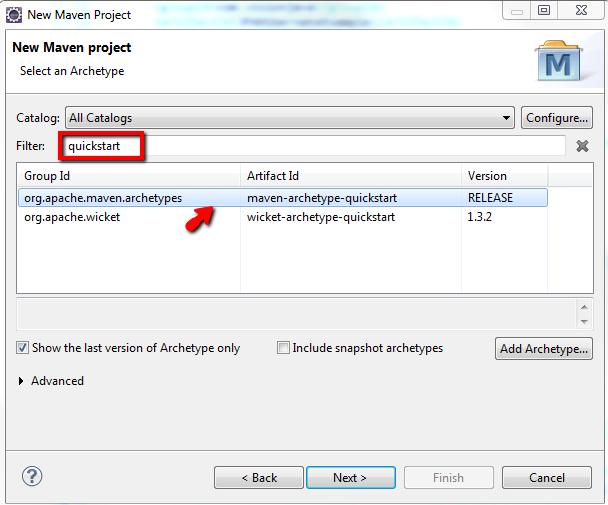
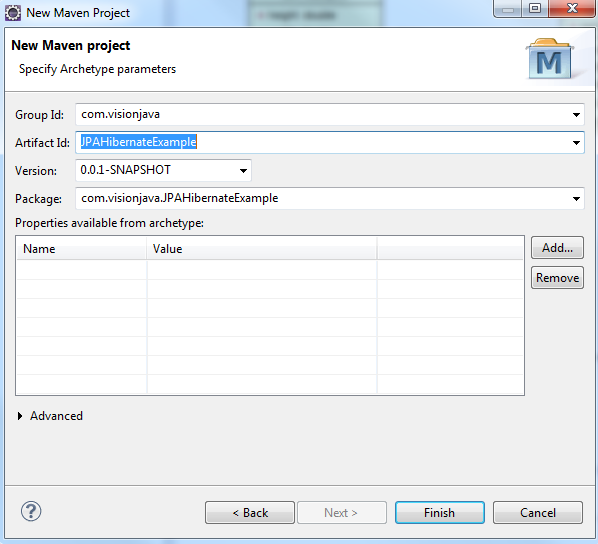
Create a maven project of artifact "maven-archetype-quickstart" as shown below.
If resources source folder is not created, create resources folder under src/main/
Step 2: Update necessary libraries in pom file.
We need hibernate-jpa-2.0-api, hibernate-entitymanager, mysql-connector-java for our project.
pom.xml
<project xmlns="http://maven.apache.org/POM/4.0.0" xmlns:xsi="http://www.w3.org/2001/XMLSchema-instance"
	xsi:schemaLocation="http://maven.apache.org/POM/4.0.0 http://maven.apache.org/xsd/maven-4.0.0.xsd">
	<modelVersion>4.0.0</modelVersion>

	<groupId>com.visionjava</groupId>
	<artifactId>JPAHibernateExample</artifactId>
	<version>0.0.1-SNAPSHOT</version>
	<packaging>jar</packaging>

	<name>JPAHibernateExample</name>
	<url>http://maven.apache.org</url>

	<properties>
		<project.build.sourceEncoding>UTF-8</project.build.sourceEncoding>
	</properties>

	<dependencies>
		<dependency>
			<groupId>junit</groupId>
			<artifactId>junit</artifactId>
			<version>3.8.1</version>
			<scope>test</scope>
		</dependency>

		<dependency>
			<groupId>org.hibernate.javax.persistence</groupId>
			<artifactId>hibernate-jpa-2.0-api</artifactId>
			<version>1.0.1.Final</version>
		</dependency>
		<dependency>
			<groupId>org.hibernate</groupId>
			<artifactId>hibernate-entitymanager</artifactId>
			<version>4.0.1.Final</version>
		</dependency>

		<dependency>
			<groupId>mysql</groupId>
			<artifactId>mysql-connector-java</artifactId>
			<version>5.1.28</version>
		</dependency>
	</dependencies>
</project>
Step 3: Create persistence.xml to hold the database properties for hibernate jpa implementation to pick up.
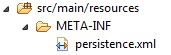 <?xml version="1.0" encoding="UTF-8"?> <persistence xmlns="http://java.sun.com/xml/ns/persistence" xmlns:xsi="http://www.w3.org/2001/XMLSchema-instance" xsi:schemaLocation="http://java.sun.com/xml/ns/persistence http://java.sun.com/xml/ns/persistence/persistence_1_0.xsd" version="1.0"> <persistence-unit name="visionJavaEmployeeStorePersistenceUnit" transaction-type="RESOURCE_LOCAL"> <provider>org.hibernate.ejb.HibernatePersistence</provider> <!-- the JNDI data source --> <properties> <property name="javax.persistence.jdbc.driver" value="com.mysql.jdbc.Driver" /> <property name="javax.persistence.jdbc.url" value="jdbc:mysql://localhost:3306/employeestore" /> <property name="javax.persistence.jdbc.user" value="visionjava" /> <property name="javax.persistence.jdbc.password" value="visionjava" /> <property name="hibernate.dialect" value="org.hibernate.dialect.HSQLDialect" /> <property name="hibernate.show_sql" value="true" /> <property name="hibernate.format_sql" value="true" /> <property name="hibernate.transaction.flush_before_completion" value="true" /> </properties> </persistence-unit> </persistence> persistence-unit name="visionJavaEmployeeStorePersistenceUnit" is the name of the persistence unit for our database. The name should be unique and if you need multiple data sources, you can create persistence-units with different names. We will use this name for loading our entity manager.
Step 4: Create EmployeeEntity entity class and provide mapping for the persistent fields.
Entity class EmployeeEntity
package com.visionjava.JPAHibernateExample.model;

import javax.persistence.Column;
import javax.persistence.Entity;
import javax.persistence.Id;
import javax.persistence.Table;

@Entity
@Table(name="employee") // Name of the table to which we are associating this Entity
public class EmployeeEntity {

	@Id // Indicates this field as primary key
	@Column(name="employee_id", nullable=false)
	private int employeeId;

	@Column(name="name", nullable=false) //name indicates the name of the column in database
	private String employeeName;

	@Column(name="age", nullable=false)
	private int age;

	public String getEmployeeName() {
		return employeeName;
	}

	public void setEmployeeName(String employeeName) {
		this.employeeName = employeeName;
	}

	public int getAge() {
		return age;
	}

	public void setAge(int age) {
		this.age = age;
	}

	public EmployeeEntity(int employeeId, String employeeName, int age) {
		super();
		this.employeeId = employeeId;
		this.employeeName = employeeName;
		this.age = age;
	}


}
Step 5: Run main method to create an employee record.
Main class to invoke JPA persistence - with user defined transaction
package com.visionjava.JPAHibernateExample;

import javax.persistence.EntityManager;
import javax.persistence.EntityManagerFactory;
import javax.persistence.EntityTransaction;
import javax.persistence.Persistence;

import com.visionjava.JPAHibernateExample.model.EmployeeEntity;

public class JPATest {
	public static void main(String[] args) {

		// visionJavaEmployeeStorePersistenceUnit is the name of the persistence unit in persistence.xml file.
		EntityManagerFactory factory = Persistence.createEntityManagerFactory("visionJavaEmployeeStorePersistenceUnit");
		EntityManager manager = factory.createEntityManager();

		EntityTransaction tx = manager.getTransaction();
		tx.begin();
		try {
		    manager.persist(new EmployeeEntity(1, "ram", 25));
		} catch (Exception e) {
			e.printStackTrace();
		}
		tx.commit();

		System.out.println(".. done");
	}

}
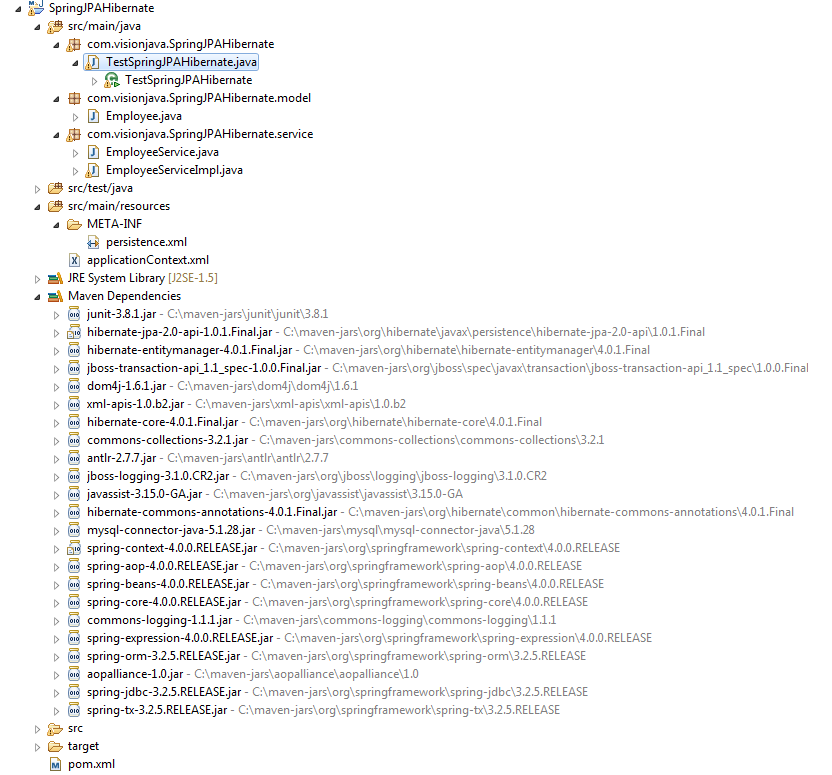
Project Structure:
|